Documentation
How to Install the AnkiQuiz Anki Add-on
Install the add-on, connect your account, and turn any Anki deck into a quiz without changing your study workflow.
- Where to install
- Anki desktop app
- What you need
- An AnkiQuiz account and API key
- Main use
- Generate quizzes from selected decks
- Supported types
- Single choice, multiple choice, fill-in-the-blank, true/false
What AnkiQuiz does
AnkiQuiz is an AI quiz generator for Anki users. It reads the card content from the deck you choose and turns it into quiz questions that are easier to review actively than by passively flipping flashcards.
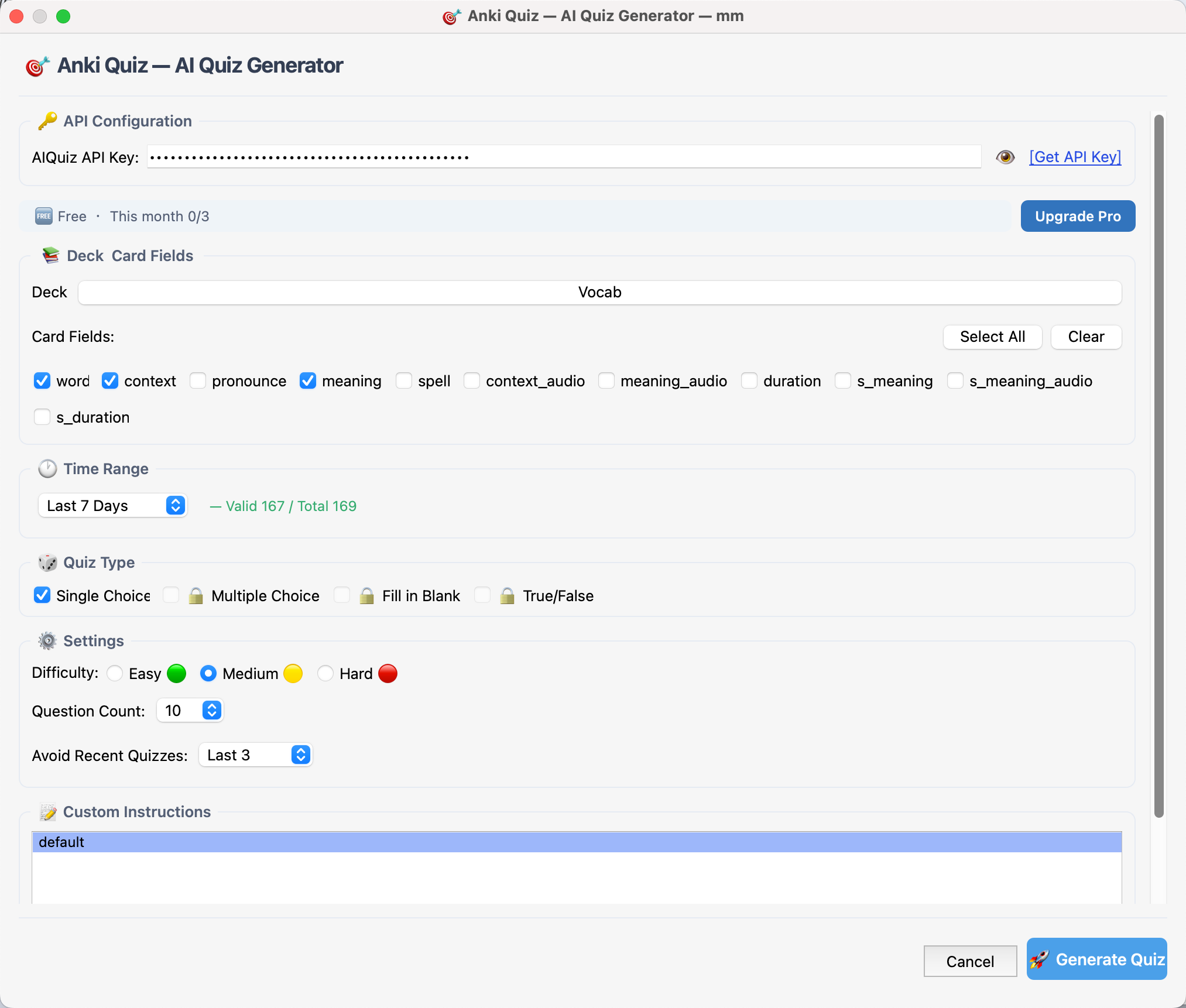
The add-on keeps the workflow simple: select a deck in Anki, send it to AnkiQuiz, and answer the generated questions in your browser.
Before you start
- Anki installed on your computer
- An AnkiQuiz account
- The AnkiQuiz add-on from AnkiWeb
- Access to your AnkiQuiz dashboard so you can copy the API key
Step 1: Install the add-on in Anki
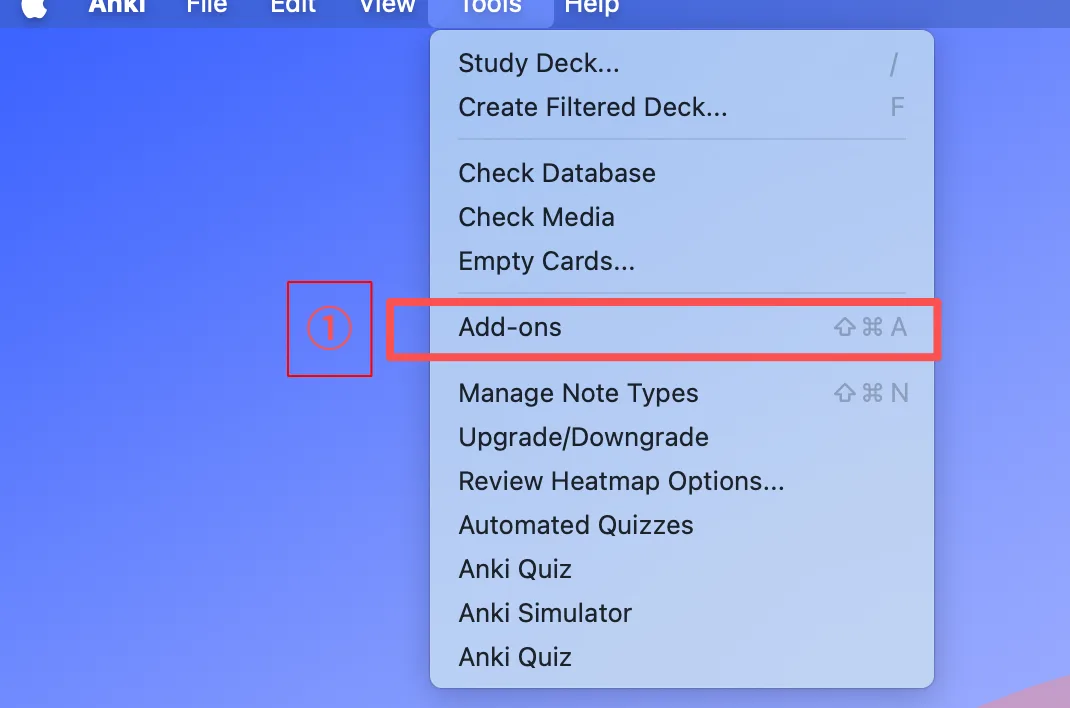
- Open Anki on your desktop.
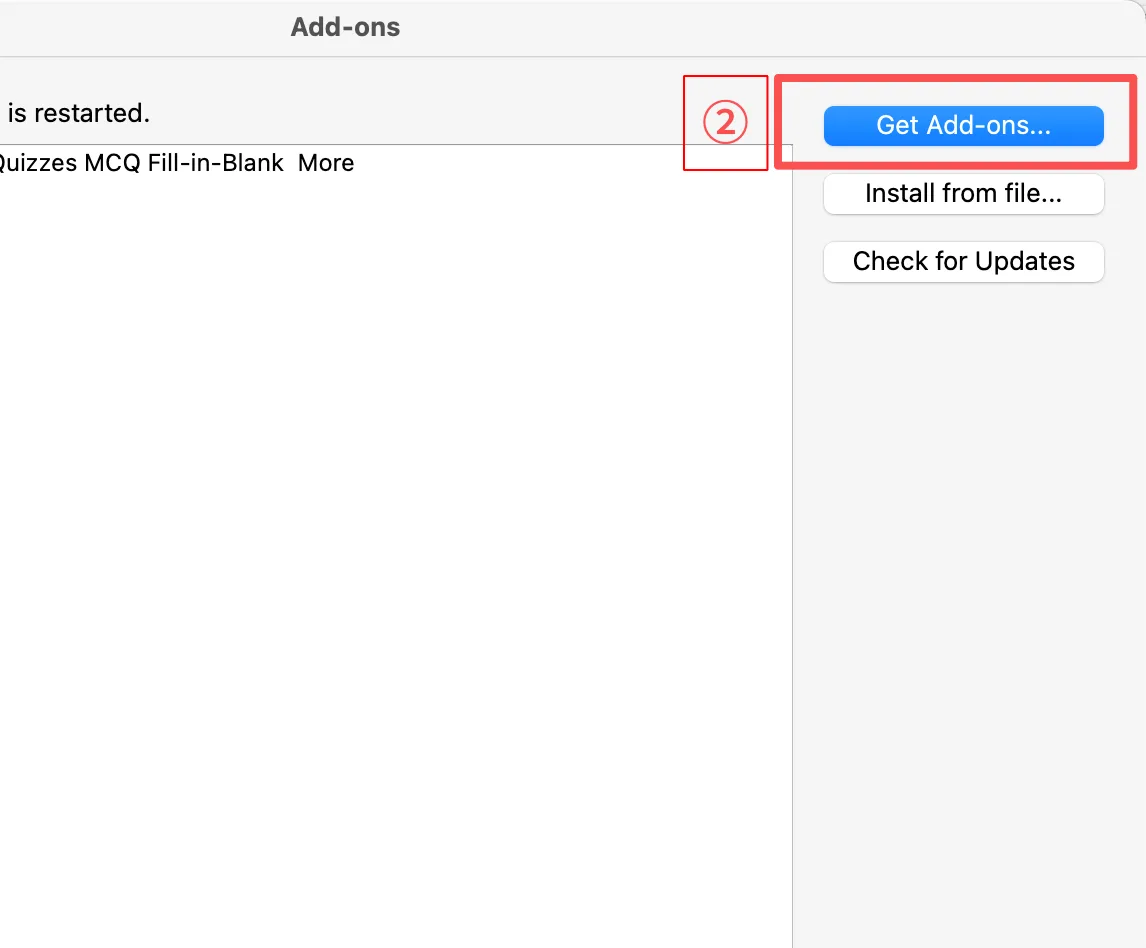
- Open the add-on installation flow in Anki.
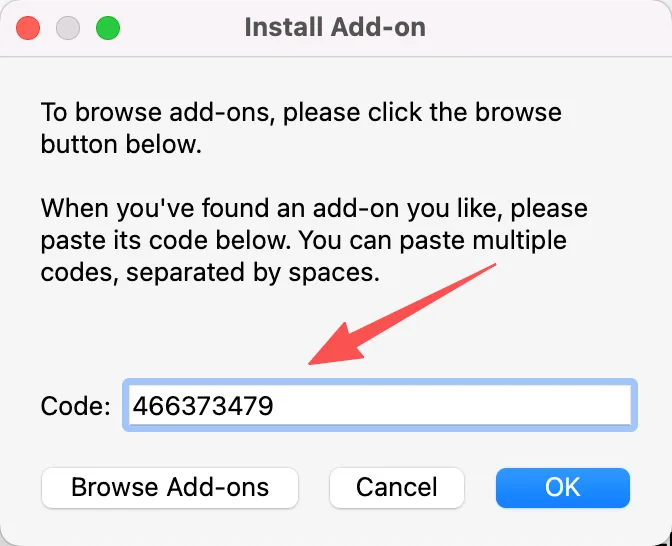
- Install the AnkiQuiz add-on from AnkiWeb.
- Restart Anki if it asks you to.
If Anki is already open, close it and reopen it after installation so the add-on loads cleanly.
Step 2: Create your AnkiQuiz account
- Go to the AnkiQuiz home page.
- Create a free account.
- Open your dashboard after logging in.
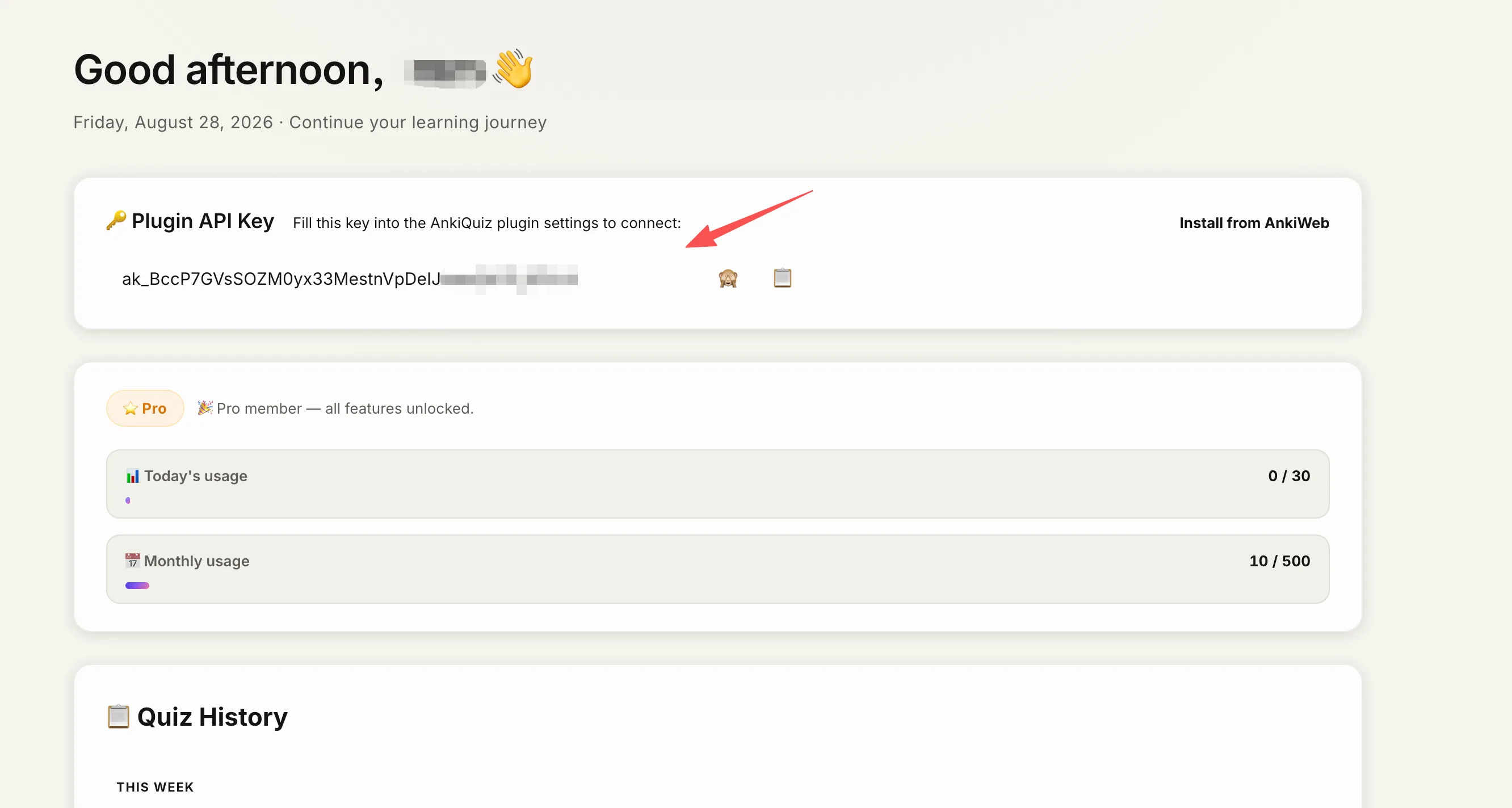
Your dashboard contains the API key that connects Anki to AnkiQuiz.
Step 3: Copy your API key
- Open the dashboard.
- Find the API key section.
- Copy the key.
- Paste it into the AnkiQuiz plugin settings inside Anki.
That key links the local add-on to your account, so AnkiQuiz can generate quizzes for the deck you choose.
Step 4: Connect the add-on to AnkiQuiz
- Open the AnkiQuiz add-on settings in Anki.
- Paste your API key.
- Save the settings.
- Confirm the add-on is connected.
Step 5: Generate your first quiz
- Open Anki.
- Select the deck you want to study.
- Click the AnkiQuiz generate button.
- Wait for the quiz to be created.
- Answer the questions in your browser.
Free users get single-choice questions. Trial users unlock additional question types, and Pro users unlock the full set.
Supported question types
- Single choice
- Multiple choice
- Fill in the blank
- True or false
Common problems
The add-on does not connect
Check the API key, confirm you pasted it into the right field, and restart Anki after installation.
I do not see quiz generation
Make sure the add-on is installed, your deck is selected, and your account is logged in correctly.
The quiz looks incomplete
Try a deck with more complete notes. Thin or highly fragmented cards can produce weaker question output.
Is my data safe?
AnkiQuiz only processes the card text you choose to quiz. It does not need your full Anki database, and it does not use your data to train AI models.
Read the full privacy policy for the exact handling of account data, quiz history, and payment data.
Next step
Once the add-on is installed and connected, you can start turning decks into quizzes right away.
Install from AnkiWebUpdated 2026-05-22